Project: Plant Root Growth Neural Net
How it works
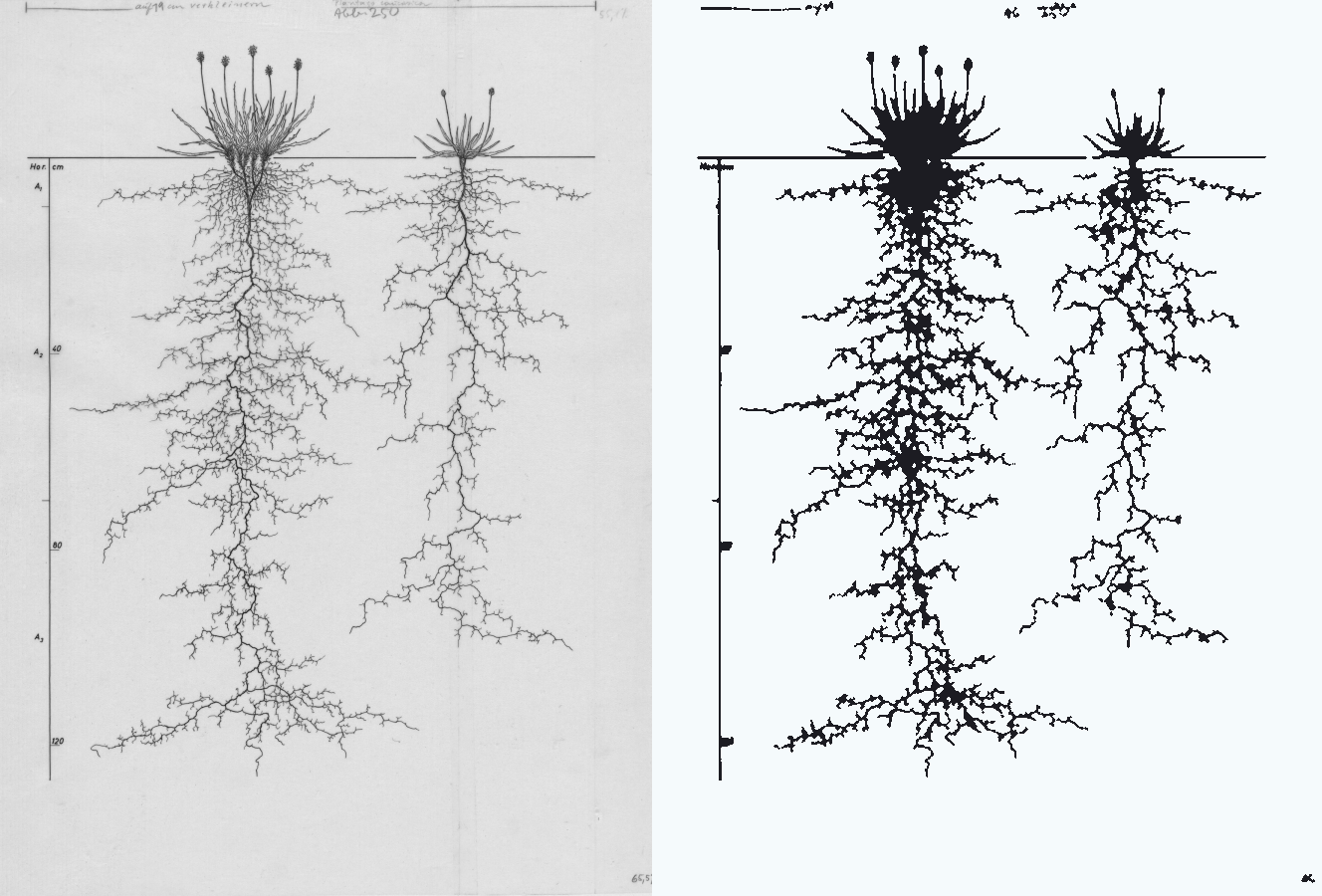
These started as old hand-drawn root diagrams from the Wageningen University collection — someone dug up whole plants and drew every root to scale, against a depth ruler. I think they’re beautiful.
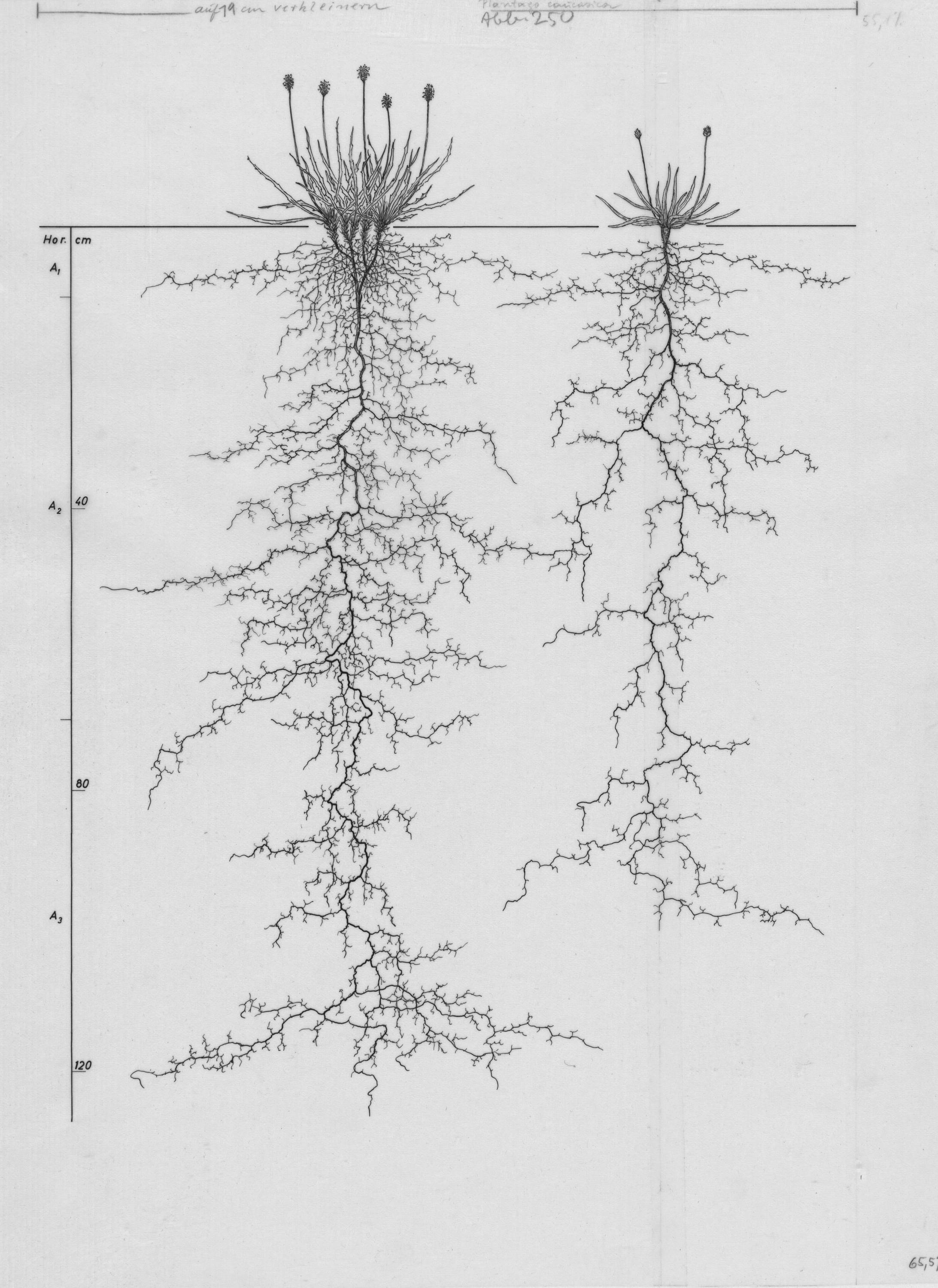
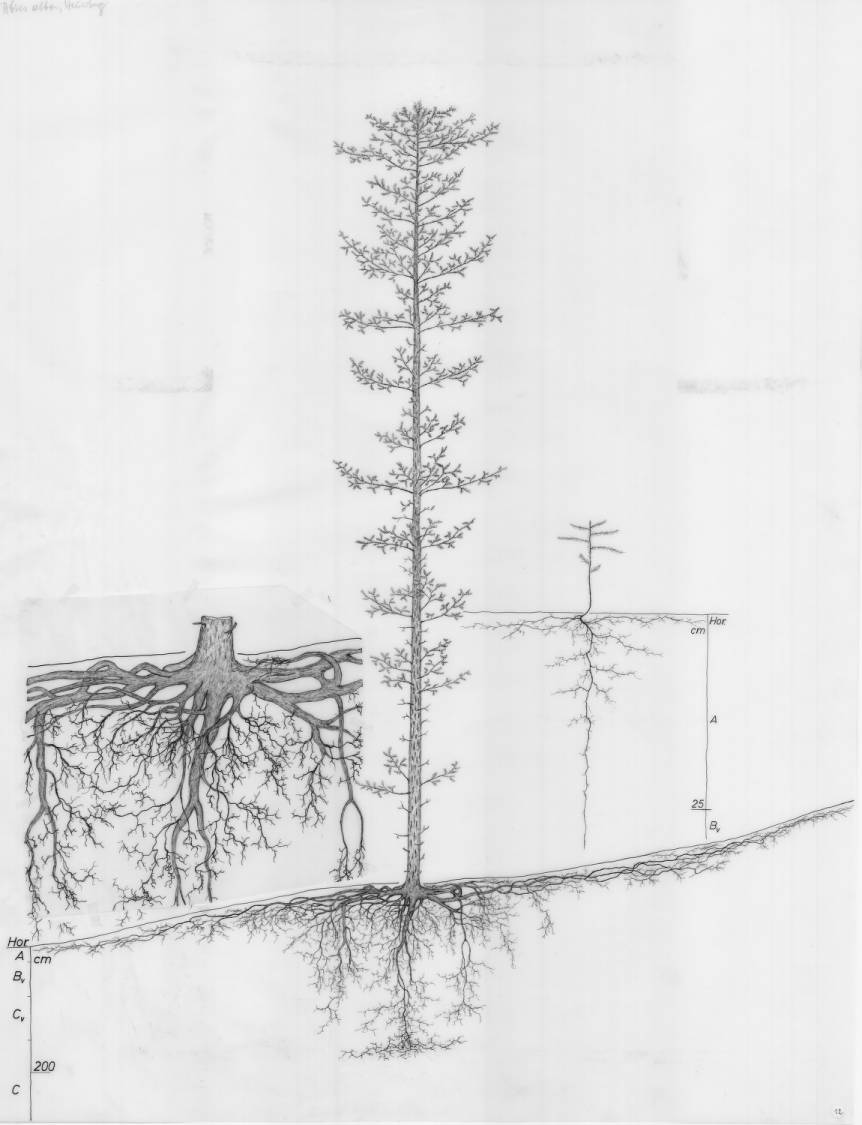
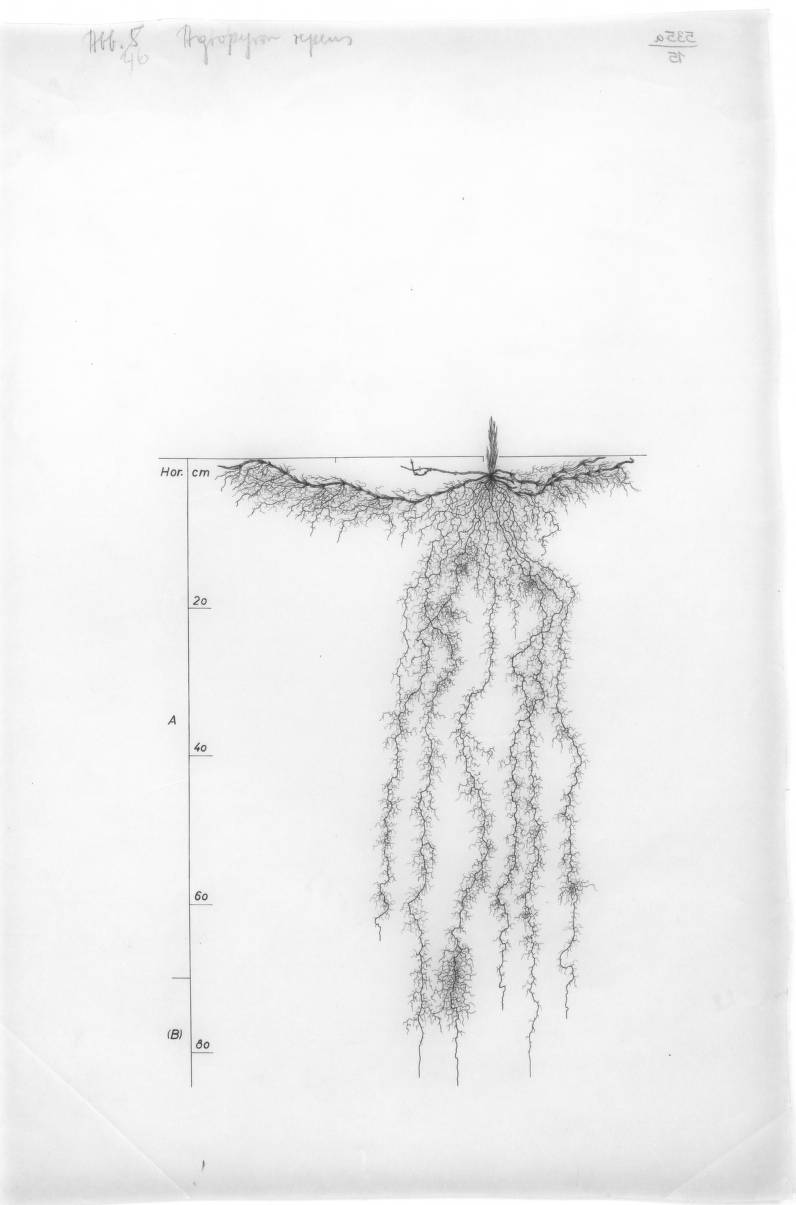
I wanted a network to draw roots like these. But a root isn’t really a picture, it’s a process — it grows. So the idea is: don’t model the pixels, model the growing.
To do that you have to turn each drawing back into the moves that drew it. I push the image through opencv — threshold it down to just the roots, thin those to a 1-pixel skeleton, then walk along the skeleton tracing each root as a path.
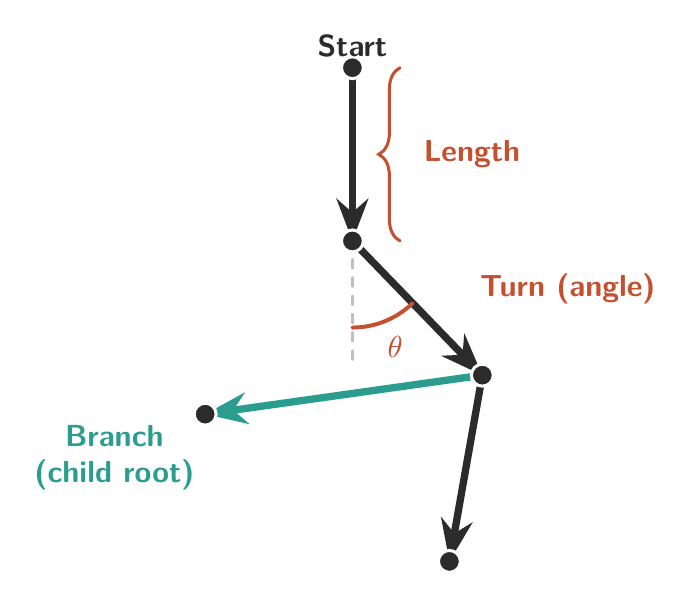
Once it’s traced, a root is barely any data at all — just a list of steps. Each step says: go Forward by a Length, and Turn by an Angle. And now and then a step sprouts a Branch: a child root, the same shape, with its own list of steps.
So a whole plant is one recursive Root, made of nothing but Lengths, Turns, and children. And tracing a drawing is just reading those moves back off the picture — every dot on the left is a point OpenCV traced along one root, and the Length and Turn between each pair become the code on the right:
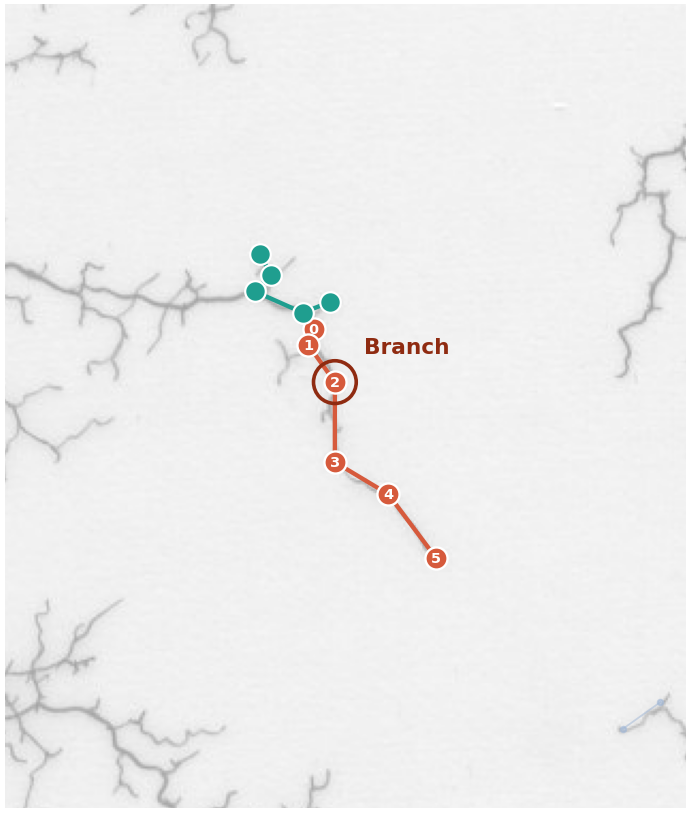
(Root :angle +108°
  (Step :len 0.003 :turn  +0°)
  (Step :len 0.007 :turn -54°)
  (Branch (Root :angle +158°
            (Step :len 0.004 :turn  +0°)
            (Step :len 0.008 :turn +46°)
            (Step :len 0.004 :turn +111°)
            (Step :len 0.004 :turn -72°)))
  (Step :len 0.013 :turn +36°)
  (Step :len 0.010 :turn -59°)
  (Step :len 0.013 :turn +22°))
Do that across a dozen drawings and you’ve got a couple thousand of these little step-lists: a dataset of Growth, not a dataset of images.
The network
The network is almost embarrassingly small — 1,250 weights. You hand it where a root tip is — its (x, y) on the canvas and how deep into the branching it is — and it gives back a direction to grow next. That’s the whole model.
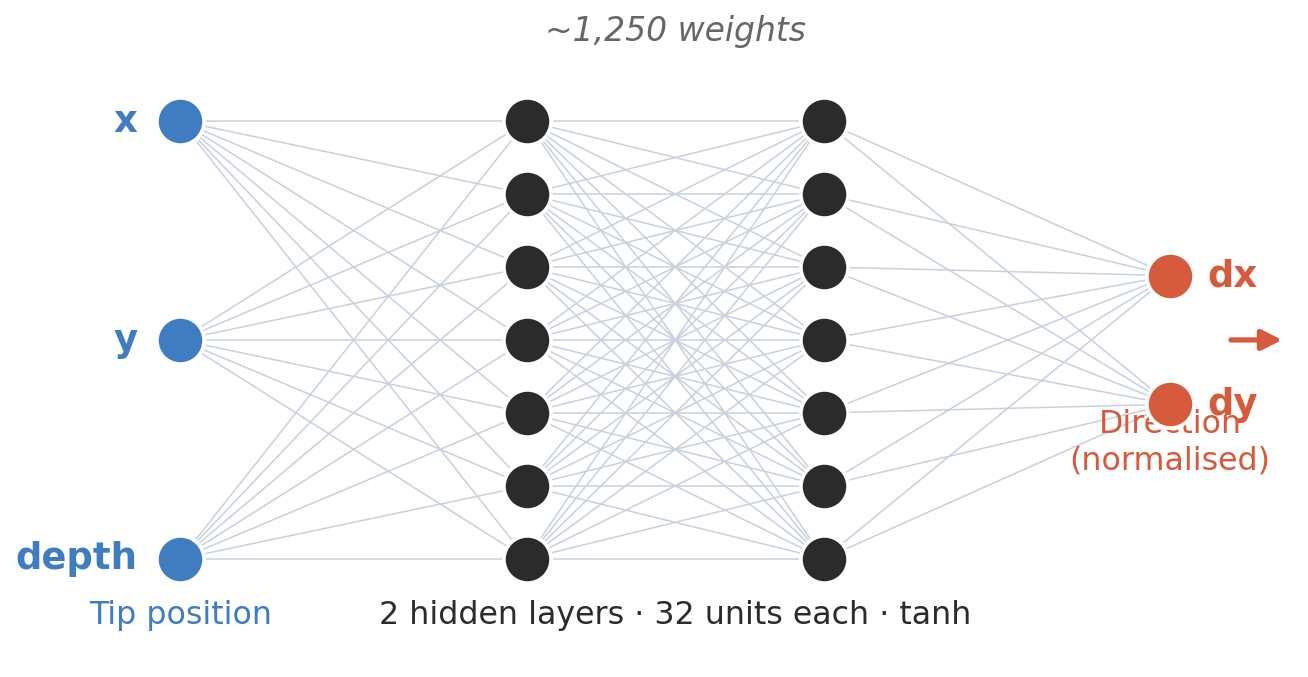
It’s just two little fully-connected layers with a tanh squashing function between them, and the two outputs normalised into a unit vector — the heading. No memory, no picture; it only ever sees where the current tip is.
Growing a whole plant is just that on repeat — drop a tip at the surface, ask which way, take a step, now and then split off a branch, and keep going until it runs out of room. The demo up top is exactly this running live, the net’s 1,250 numbers shipped as a scrap of json.
Then in 3D
Same net, same loop — except the tip now walks over the surface of a 3D shape instead of a flat page. When a root reaches the edge of a face it just hops onto the next one, and the net keeps steering. Drag to rotate, scroll to zoom, and click a red tendon to snip it off.